Features · Checks

The checks you do now,
on a phone and signed

Today shows what's due, in the order your day runs. Tap a check, answer it, sign it with a finger. If a reading is wrong, the check tells you what to do there and then.

We set you up, and your 30-day free trial starts then.
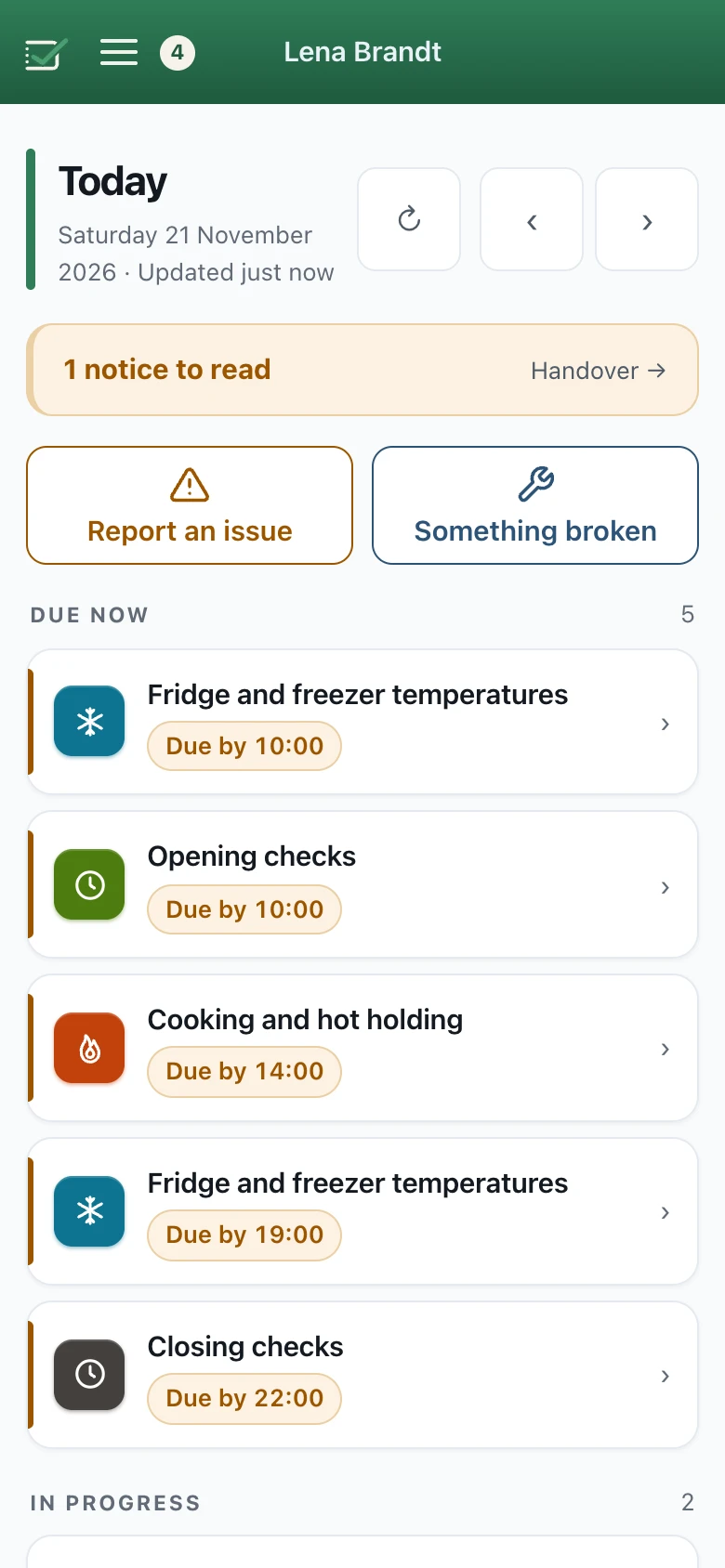
A kitchen's Today screen on a phone, Saturday 21 November 2026, updated just now, with buttons to refresh and to move a day either way. One notice to read, with a link to the handover, and buttons to report an issue or something broken. Then due now, five: fridge and freezer temperatures and opening checks, both due by 10:00; cooking and hot holding, due by 14:00; fridge and freezer temperatures again, due by 19:00; and closing checks, due by 22:00. In progress, two, starts at the foot
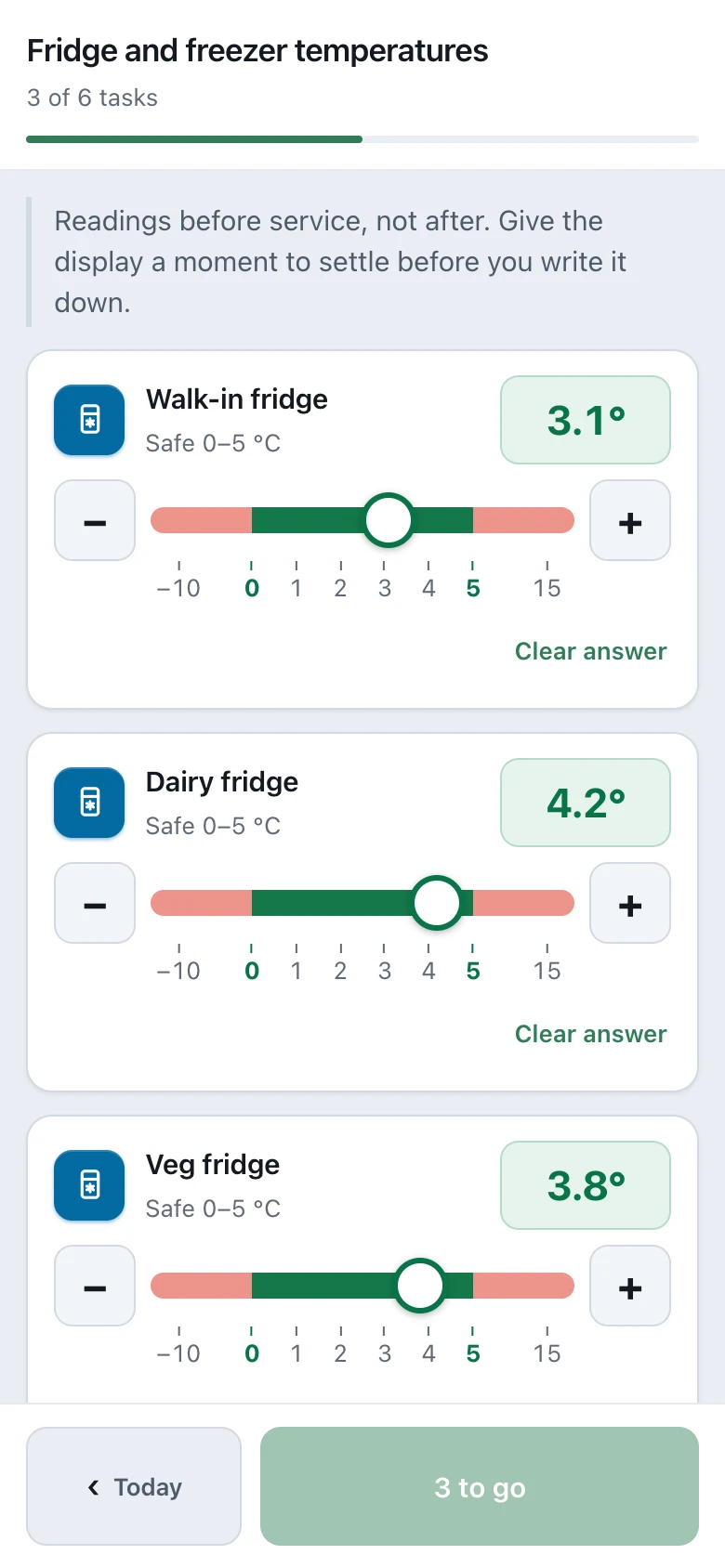
The fridge round part-way through on a phone, three of six tasks done: walk-in 3.1°C, dairy 4.2°C and veg 3.8°C, each set on a slider with its safe range of 0 to 5°C marked in green and a minus and plus button either side, three to go
How it looks

After the fridge round

What happens when a reading is wrong, and when a check is done.
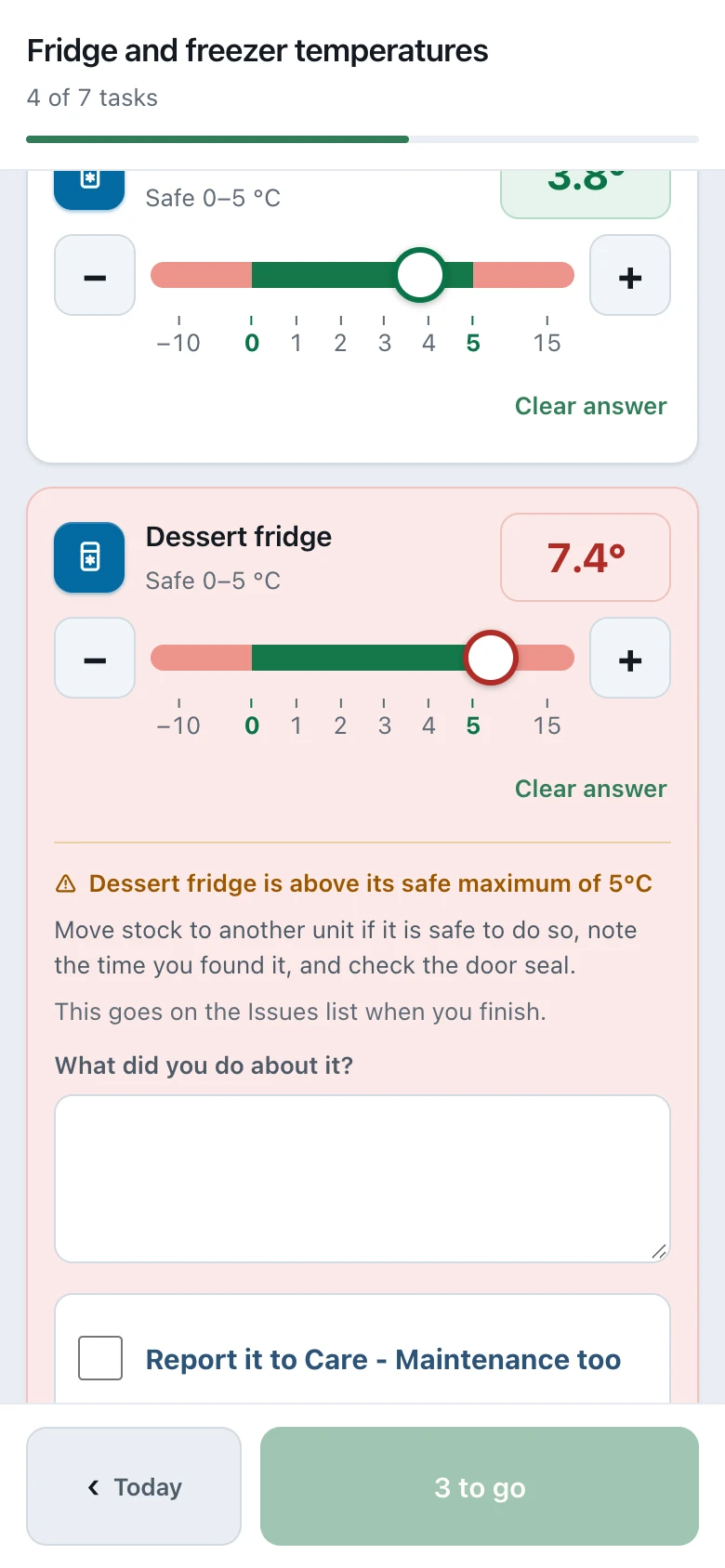
  • A reading out of range on a phone: the dessert fridge at 7.4°C, its slider handle past the green and the card turned red, with the warning that it is above its safe maximum of 5°C, what to do about it, a line saying it goes on the Issues list when you finish, the question 'What did you do about it?', and a box to tick to report it to Care - Maintenance too

    A reading out of range. Dessert fridge at 7.4°C. It says what to do, asks what you did about it, and can tell maintenance too.
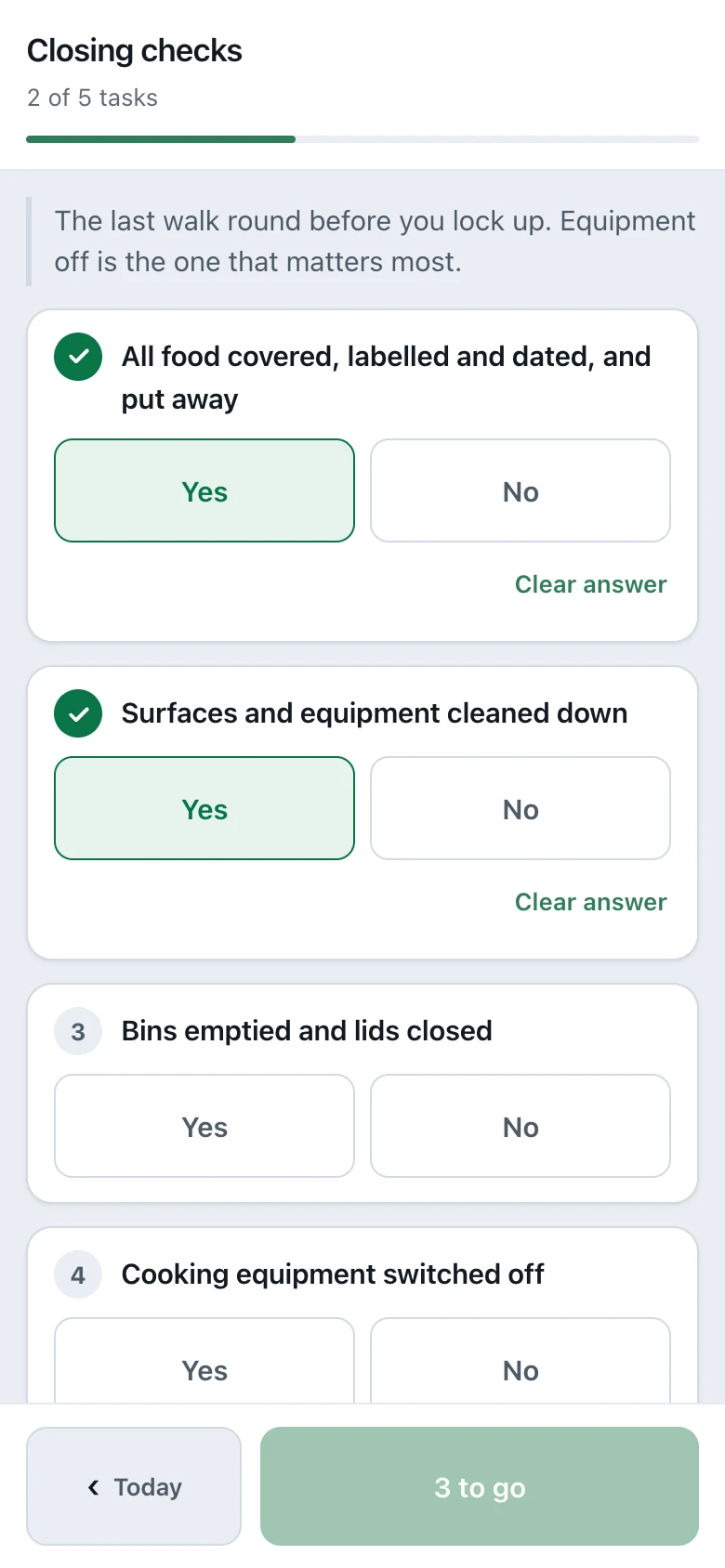
  • Closing checks on a phone: a list of yes-or-no questions, two of five answered and ticked, food put away and surfaces cleaned down, with bins and cooking equipment numbered and still to answer

    Yes or no. Closing checks: food put away, surfaces cleaned down, two of five answered.
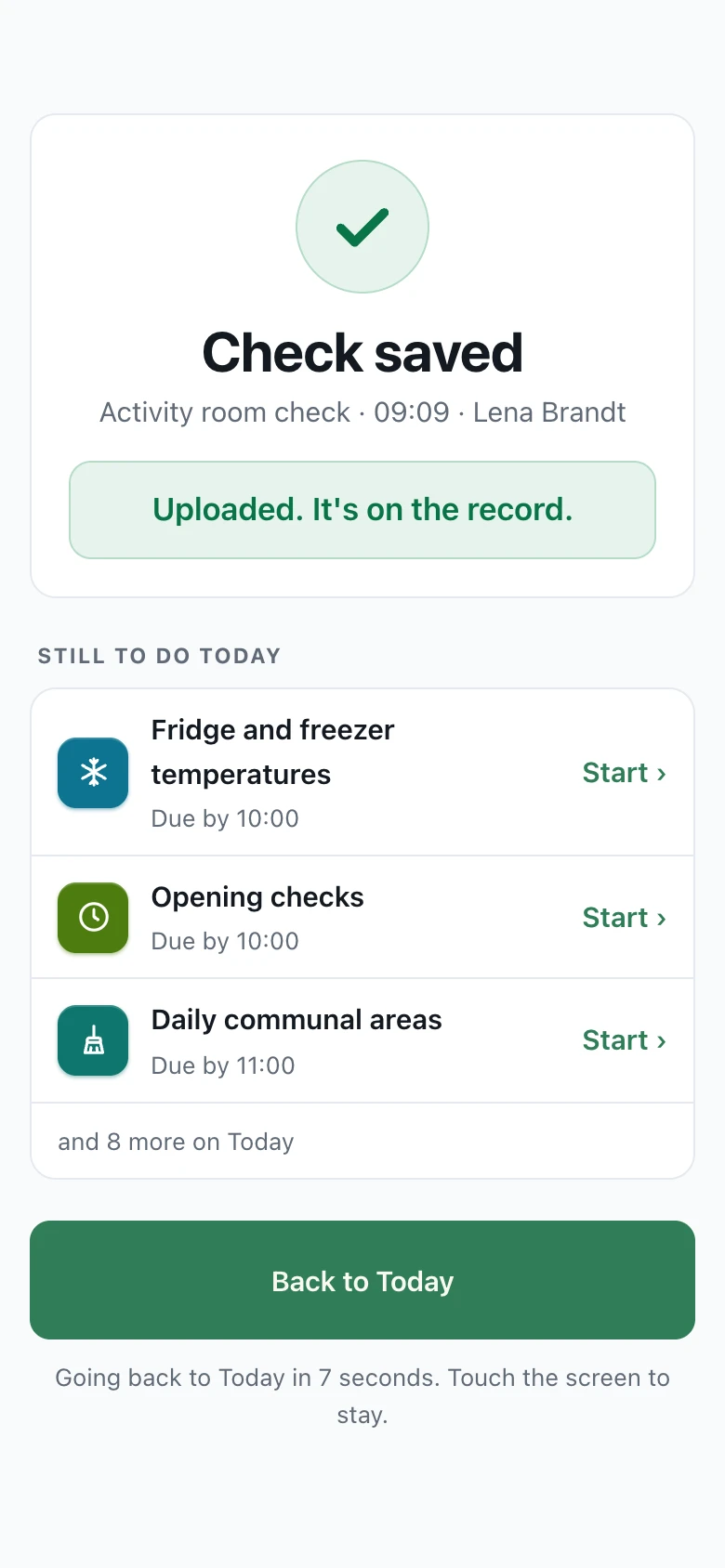
  • Check saved, on a phone: Activity room check, 09:09, Lena Brandt, and Uploaded. It's on the record. Under Still to do today, three checks with a Start button on each: fridge and freezer temperatures and the opening checks, both due by 10:00, and the daily communal areas, due by 11:00, and 8 more on Today. A Back to Today button, and a line saying it goes back to Today in 7 seconds unless you touch the screen

    Saved, and on the record. Then what's still to do today, with a Start button on each.

Real screens from the app, but the home in them is made up. Maple House, its staff and its readings all came from a demo we built.

Ready-made

78 checks already written

Copy one, rename the bits that are yours, publish. Copying makes a draft, so nothing reaches your staff until you say so. Or describe a check in a sentence and TaskProof drafts it for you to read over.

  • Whoever's on picks their name from the staff list and signs. No accounts or passwords for them
  • Answers can be temperatures, yes or no, text, a choice, a date or a photo
  • A dropped signal doesn't cost anyone the check: it's held on the phone and goes up when they're back in range
  • Wall tablets and shared team phones, with a PIN for each person

Comes with every team, on every plan.
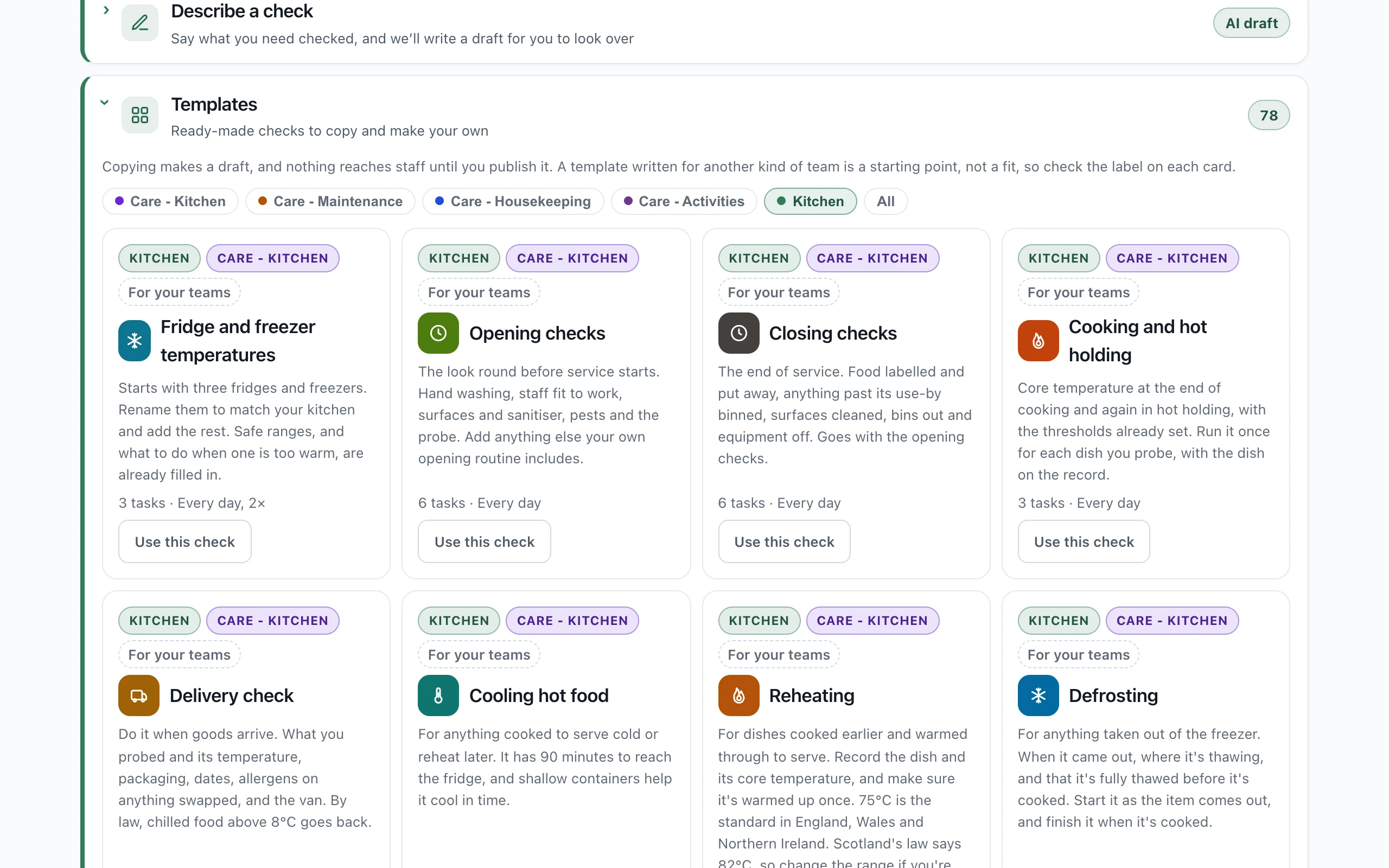
The Templates panel open on the Checks page, filtered to Kitchen, below the panel for describing a check and getting an AI draft. 78 ready-made checks, with a note that copying makes a draft and nothing reaches staff until you publish it. Each card is labelled Kitchen and Care - Kitchen, says what the check covers, how many tasks and how often, and has a 'Use this check' button: fridge and freezer temperatures, opening checks, closing checks, cooking and hot holding, a delivery check, cooling hot food, reheating and defrosting
Over to you

Pick what would help. A person answers.

Some people want to watch a round get done. Some have one question and five minutes. Choose whichever suits you today.

  • You'll hear from someone who has worked in a care home kitchen, not a sales team
  • No obligation, and nobody will chase you afterwards
What would help most?

We’ll email you to fix a time for the video call.

We only use these to reply to you. No newsletter, no mailing list, and we never sell them or share them for marketing.