Where the home stands, without asking anyone
Staff do the checks on a phone. This is the other side of it: one screen for the whole home, one for each team, and today laid out hour by hour. No ringing round, no walking the building to find out.
Four teams on one screen
Kitchen, housekeeping, maintenance and activities, the last seven days each. The things that need you are named along the top rather than left for you to find.
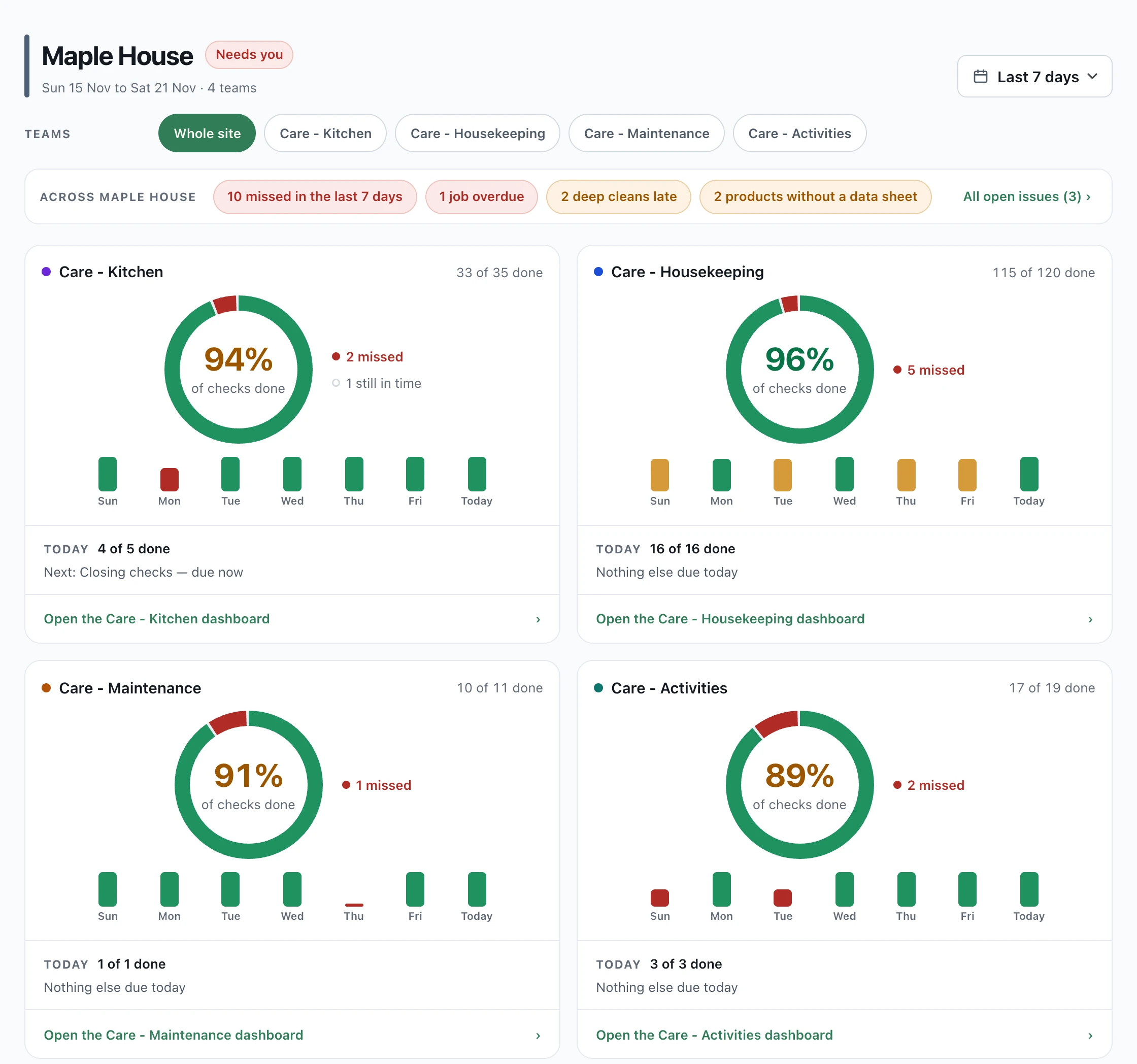
- What needs you, counted. Ten checks missed in the last seven days, one job overdue, two deep cleans late, two products with no data sheet, and three issues open. Each one opens the list behind it.
- A bar for every day. Green when the day’s checks got done, amber when some of them didn’t, red when it went badly. A week side by side tells you whether Sunday was a bad day or a pattern.
- Today, per team. What’s done so far and what’s next. The kitchen is four of five, with the closing checks due now, and the other three teams have nothing else due today. You chase it before it gets missed, instead of reading about it afterwards.
- Straight through to the team. Switch to any of the four along the top, or open its dashboard from the card. You get the same week for that team on its own, which is the screen below.
Real screens from the app, but the home in them is made up. Maple House, its staff and its readings all came from a demo we built.
The kitchen’s day, hour by hour
The same week for one team, with today as a timeline: what has been signed, what is due this minute, and what is still to come.
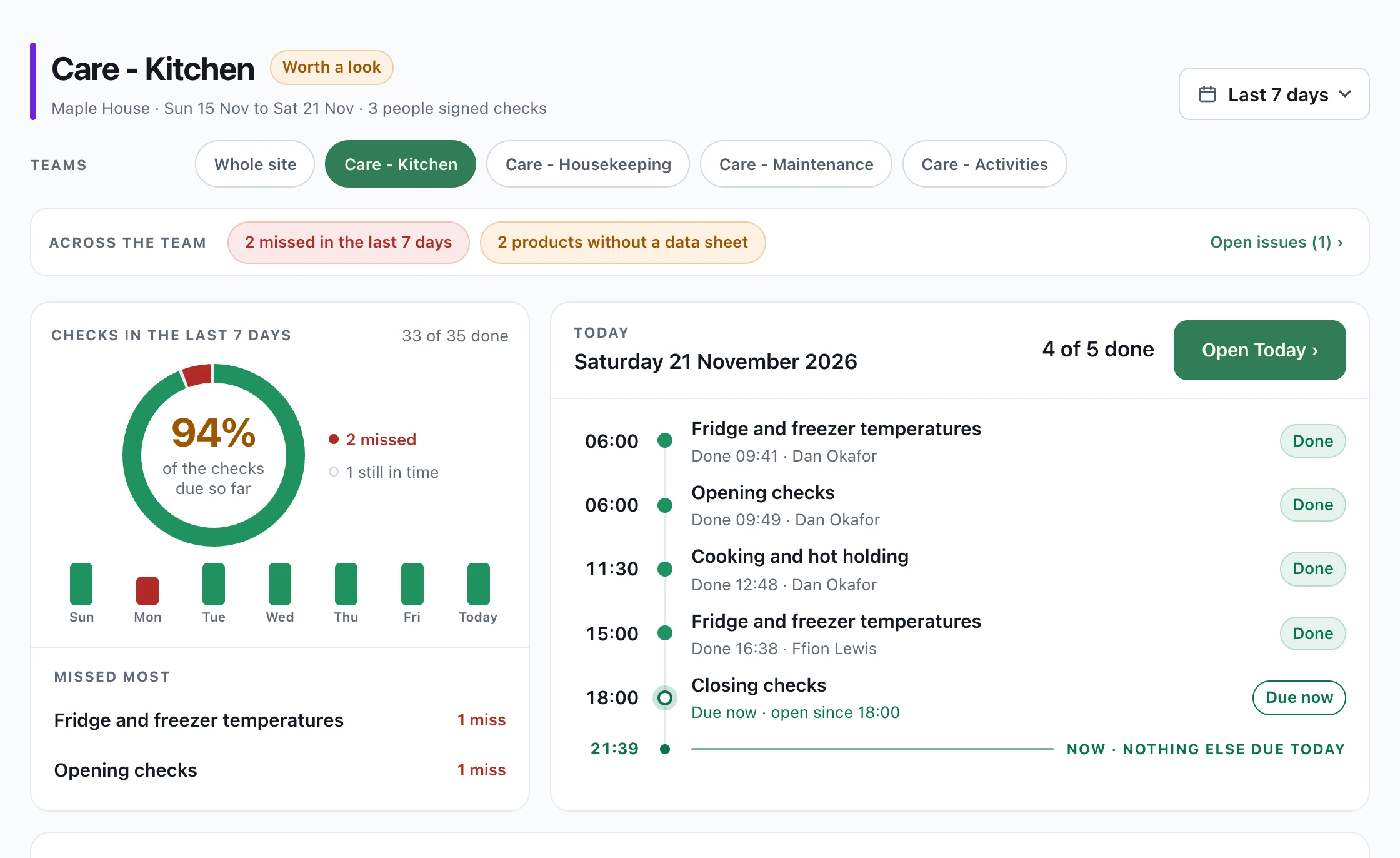
- A line for now. Everything above it has happened, everything below hasn’t. It’s twenty to ten at night, and the closing checks have been open since six and still aren’t done.
- Done says when, and who. Dan Okafor did the morning fridge round at 09:41. Ffion Lewis did the afternoon one at 16:38. Every line carries the minute it went in and the name against it, not just a tick.
- Two missed, and it says which. The week is 33 of 35, and the panel underneath names them: the fridge and freezer temperatures once, the opening checks once. Which check gets missed is worth more to you than the number.
- “Worth a look”, not “All good”. Ninety-four per cent done, two checks missed, and the team is still graded amber. Nothing here is rounded up to make a manager feel better about a week.
- Three people signed this week. Agency, bank, whoever was on. They pick their name and sign, and they don’t need an account to be on the record.
On a phone it gets shorter, not smaller
The same screens on a phone aren’t the desk ones made smaller. Below a certain width the app redraws them as one column: the week as a single ring with what needs you counted beside it, and for a team, whatever is due now with a button against it.
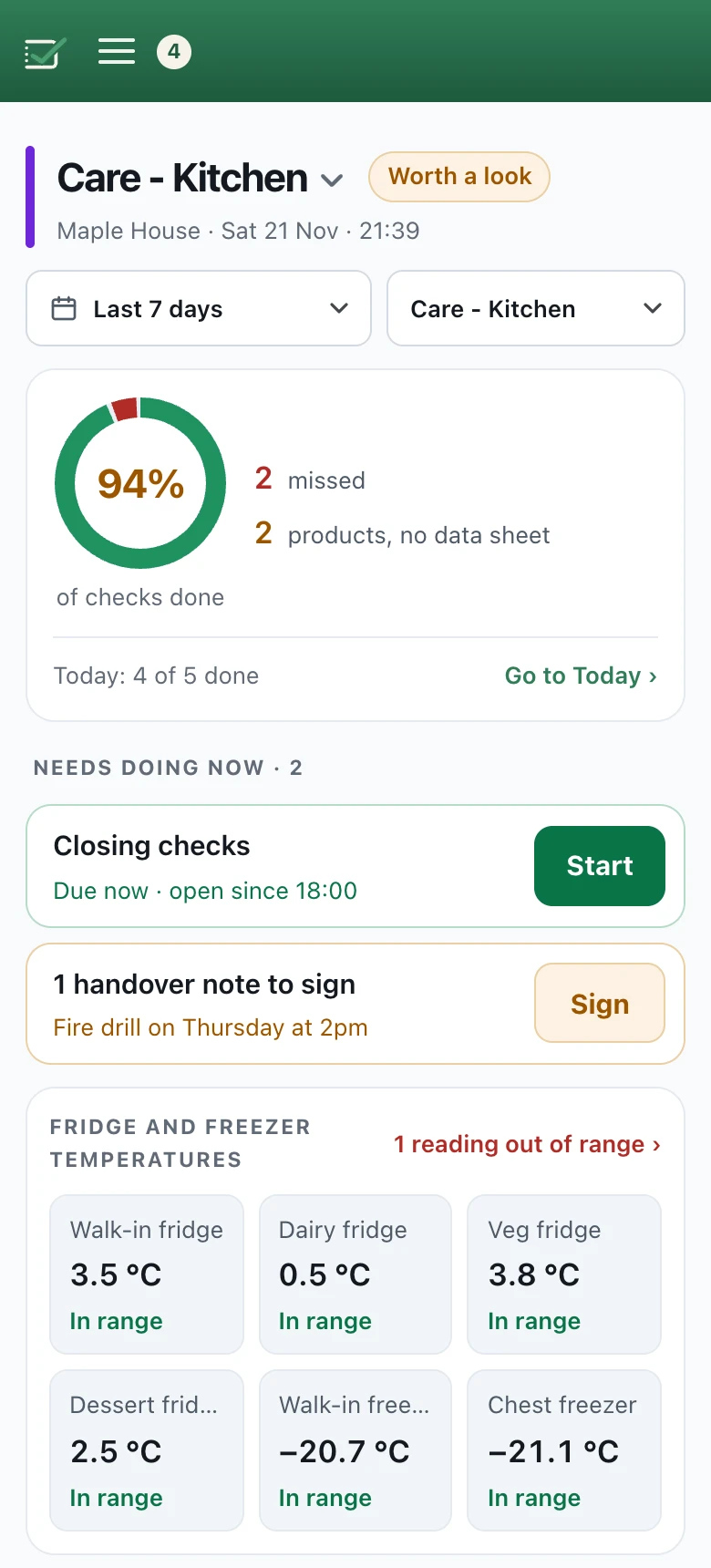
Needs doing now, two: the closing checks, open since six, and a handover note to sign. A button each, rather than a number to work out.
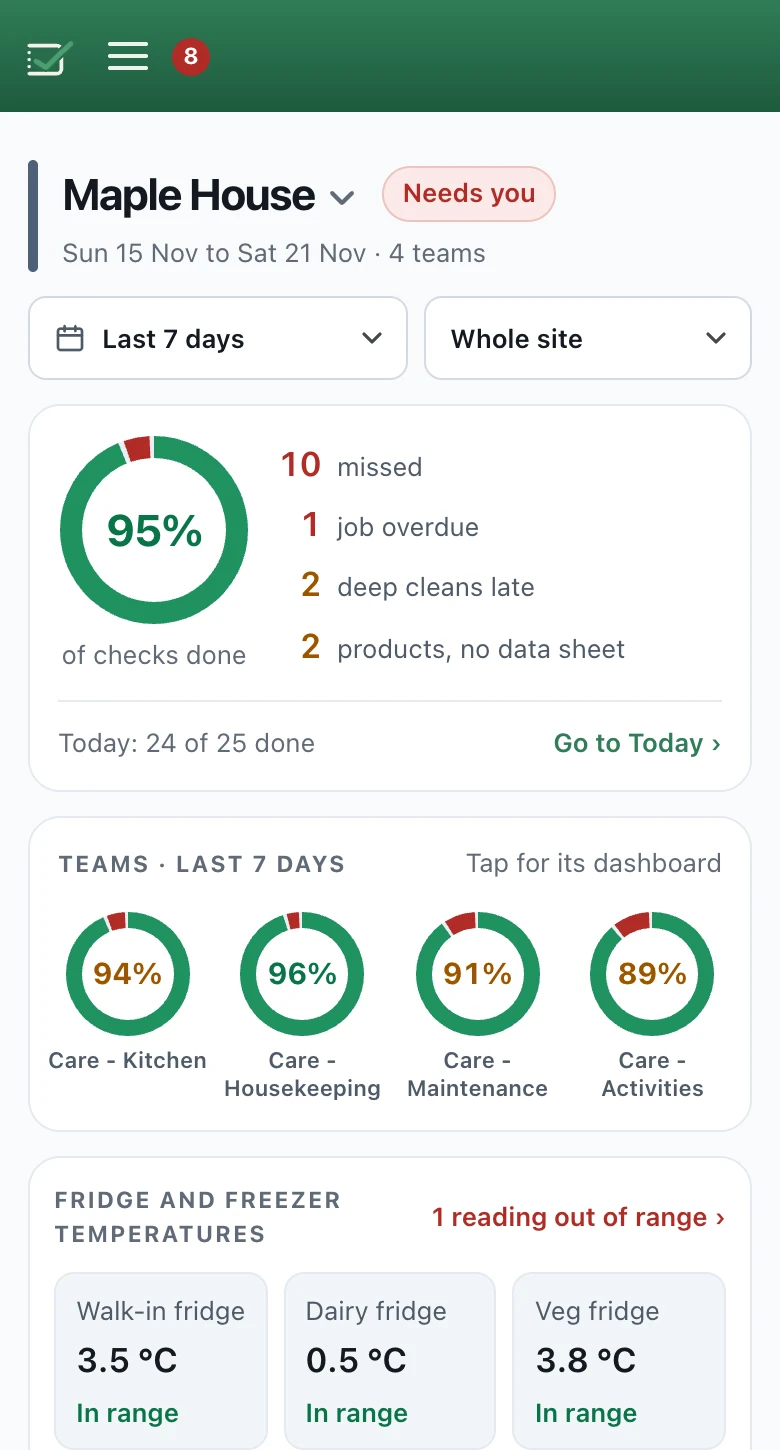
The whole home: the week at 95%, what needs you counted beside it, and today at 24 of 25. Then a ring for each of the four teams. Tap one to drop into it.
Every report in one place
Checks, issues, jobs, room cleans, who has signed the handover notices, visitors, COSHH and the CCP readings. Pick the dates, the teams and the people inside the report itself.
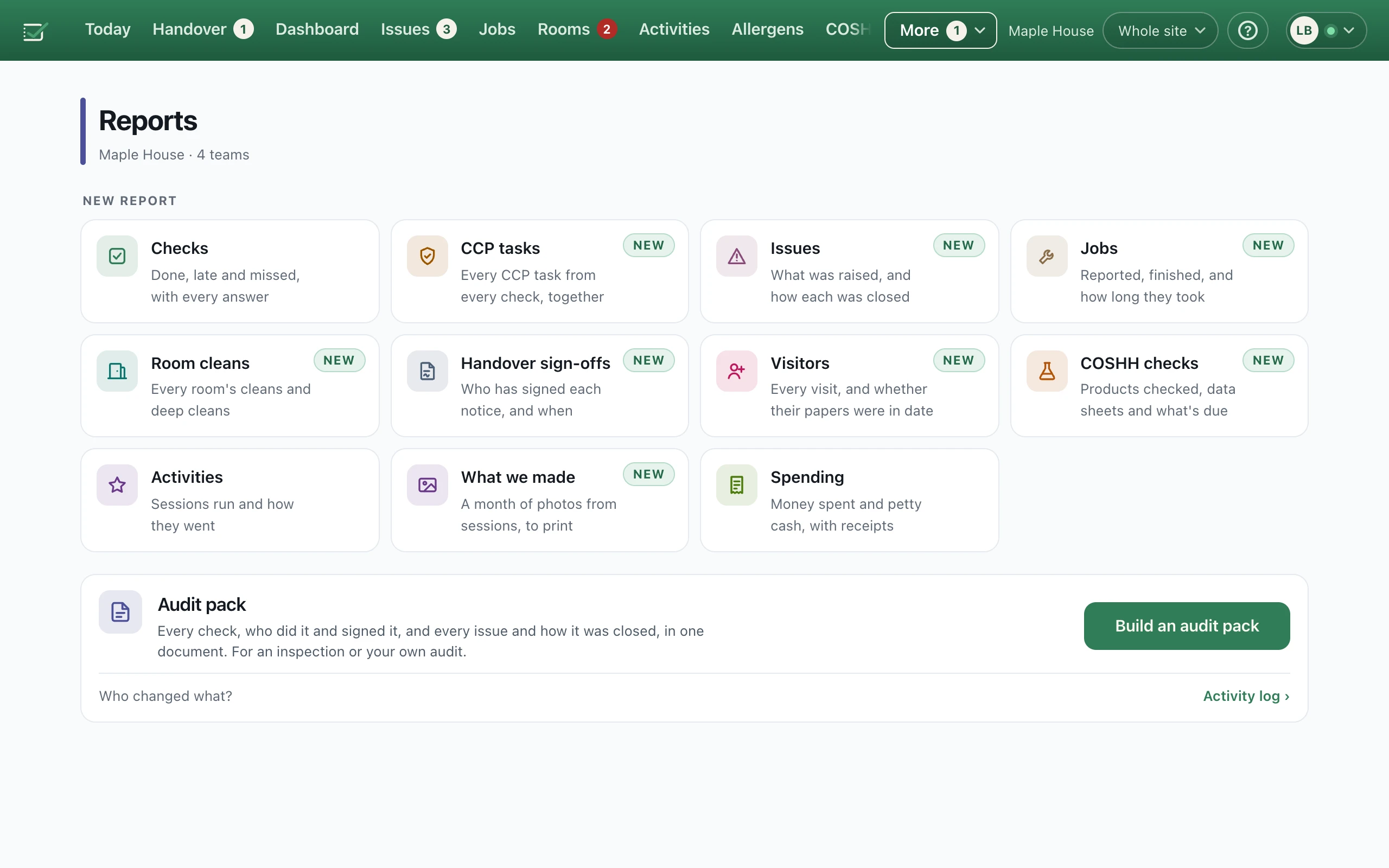
- Save the ones you run every month. The dates move on with the calendar, so “last month” is always last month. Tick “Email me a link on the 1st” and it arrives without you asking.
- Print it, or take it away. Any report downloads as a PDF or a spreadsheet. Big ones are made while you carry on with something else, and each download shows in the activity log, so you can always see who took your records away.
- Team managers run their own. Whoever manages the kitchen team can pull the kitchen’s month without asking you for it.
Every site, the same way
If you run more than one home, there’s a group view one step up that covers all of them. Same bars, same counts, one line each. One report can cover several homes at once, and a check that works in one home can be copied to another as a draft to make its own. There’s no picture of it here, because the home in our screenshots is one home and we’re not going to invent a second one to fill a screen. Ask us on a demo and we’ll show you the real thing.
Pick what would help. A person answers.
Some people want to watch a round get done. Some have one question and five minutes. Choose whichever suits you today.
- You'll hear from someone who has worked in a care home kitchen, not a sales team
- No obligation, and nobody will chase you afterwards